FlexClip AI PPT to Video Converter Review
Turning Static Slides into Engaging Video Content (Without Losing Your Mind)
If you’ve ever created a PowerPoint presentation and thought, “this would make a great video… but I really don’t want to rebuild the whole thing from scratch,” you’re not alone. Repurposing content is smart, but it’s often time-consuming.
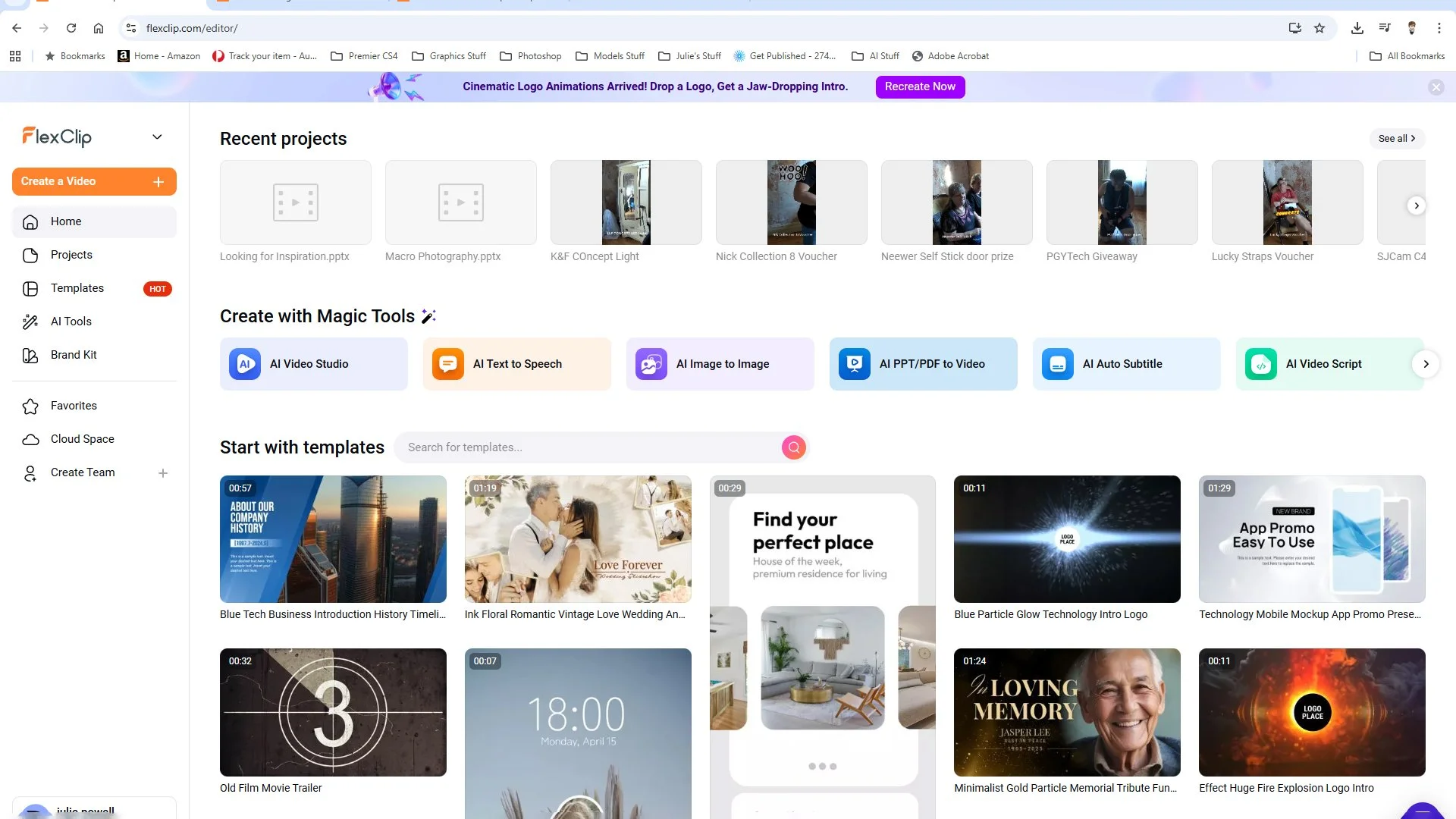
That’s exactly where the new AI PPT to Video Converter inside FlexClip comes in. It promises to take your existing slides and transform them into a polished video, complete with visuals, subtitles, and scene transitions, all powered by AI.
So naturally, I had to test it.
First Impressions
The idea is simple, upload your PowerPoint, let the AI interpret it, and out comes a video.
In practice, it’s surprisingly straightforward.
The interface is clean (FlexClip has always done this well), and the process feels more like guiding the AI rather than fighting it. You’re not locked into whatever it generates either, which is important.
Because let’s be honest, fully automated anything rarely gets it perfect first go.
What It Does Well
1. Fast Content Repurposing
This is the biggest win.
If you already teach, run workshops, or create educational content, you’re sitting on a goldmine of slides. This tool turns them into video content in minutes rather than hours.
For your audience, especially photographers learning or teaching, this could mean:
Turning workshop slides into YouTube videos
Creating quick social media explainer clips
Repurposing online course material
That alone makes it worth a look.
2. AI Visuals and Scene Building
The AI doesn’t just dump your slides into a timeline, it actually tries to build scenes around them.
It adds:
Stock visuals (In my case it used my own photos)
Motion elements
Scene transitions
Music
Some of it works really well. Some of it feels a bit “stock video library meets generic marketing ad.”
But here’s the key, you can tweak everything.
And you’ll want to. As most of my slides contain my photos, so Flexclip used all of those.
3. Auto Subtitles
This is one of those features you don’t realise you need until you do.
The AI generates subtitles automatically, which is huge for:
Social media (where most people watch without sound)
Accessibility
Professional polish
And thankfully, they’re editable, because AI captions still have their moments.
4. Beginner-Friendly Workflow
You don’t need video editing experience to use this.
That’s a big deal.
For creators who feel comfortable in Lightroom or Photoshop but avoid video because it feels like a whole different beast, this lowers the barrier significantly.
Where It Falls Short
Let’s not pretend it’s magic.
1. Creative Control Still Matters
If you’re expecting cinematic storytelling straight out of the AI, you’ll be disappointed.
It gives you a solid starting point, not a finished masterpiece.
You still need to:
Adjust pacing
Swap visuals
Refine text and flow
Think of it as an assistant, not a replacement.
Sadly if you use notes on your Powerpoints (like I do) it doesn’t use the notes to actually build you narrative, it’s more like guessing from the images used words on pages and titles. Sometimes it was very good, other times it missed the mark. But you can edit the script with ease. It just takes a bit of time.
2. Visual Choices Can Feel Generic
As the program used all my own visuals I cannot really comment on the The AI-generated visuals. Perhaps they don’t always match a strong personal style. If you can use your own photos, art or graphics on your presentations, I suggest doing so.
For photographers and creatives (your people), this matters.
You’ll likely want to:
Replace stock visuals with your own images
Adjust colours and tone
Make it feel like your work
3. Depends on Your Original Slides
If your PowerPoint is messy, the output will be messy.
This tool works best when:
Your slides are clear
Your messaging is structured
Your content already makes sense
It enhances good content, it doesn’t fix bad content.
Who This Is Actually For
This is where things get interesting.
I don’t think this is for high-end filmmakers or advanced video editors.
But for:
Educators
Workshop hosts
Content creators
Small business owners
…it makes a lot of sense.
Especially if you’re sitting on:
Old presentations
Course material
Teaching resources
and want to turn them into video without starting from scratch.
Real-World Use Ideas (For Your Audience)
Here’s where I think it really fits into your world:
Turn a lighting diagram presentation into a short YouTube tutorial
Convert a workshop PDF into Instagram reels or short clips
Create promo videos for upcoming classes
Break down a single lesson into bite-sized video content
This is where the tool actually becomes useful, not just “cool.”
Final Thoughts
The FlexClip AI PPT to Video Converter isn’t about replacing creativity. It’s about speeding up the boring parts.
And honestly, that’s where AI shines.
It gives you:
A head start
A structure
A fast way to repurpose content
But the best results still come when you step in and shape it.
If you go in expecting a one-click masterpiece, you’ll be frustrated.
If you treat it like a smart assistant, you’ll get a lot of value out of it.
Pros and Cons
Pros
Fast and easy content repurposing
Beginner-friendly
Auto subtitles save time
Flexible editing after AI generation
Great for educators and creators
Cons
Needs manual refinement for best results
AI visuals can feel generic
Relies heavily on quality of original slides
The AI voice over (and there are lots to choice from) all sound like AI not your own voice. But again you could dub over the top.
Verdict
A genuinely useful tool, especially if you’re already creating educational content and want to expand into video without adding hours to your workflow.
Not perfect, but definitely practical. I will try a few Powerpoints and convert in videos and then you can watch and decide.
You can check out a sample video over on YouTube here or dive into HOW Flexclip actually works with one of my presentations